Building a web site isn’t hard. There are many WYSIWIG editors, and tons of tutorials and HTML. I don’t think I’m wrong if I say that a large majority of people already created (or at least tried creating) a small webpage of their own.
Many people create web sites based on what they want it to look like. That’s not wrong; sites should be pretty after all. There’s more to it, though—most people don’t realise that not everyone sees a web page the same way—and I’m not talking about browser inconsistencies.
The Rise Of CSS
In the past few years, CSS (also known as cascading style sheets) have become increasingly important. All modern browsers support CSS nowadays; even Internet Explorer 7’s CSS is quite decent. There is simply no reason not to use CSS anymore, and many designers are starting to realise that.
Why use CSS? Firstly, it gives you a much broader set of design tools than HTML does. Secondly, it is much easier to maintain a consistent look across an entire site. Thirdly, using CSS for presentation makes your HTML much smaller, much prettier, and much more maintainable.
But only if you do it right.
You can’t simply start using CSS and expect your web site to suddenly become gorgeous. If you want to take advantage of CSS, you’ll need to understand why exactly you should use it.
Presentational Versus Semantic
HTML defines several elements, such as <p> for paragraphs, <em> for emphasized text, and <h1>, <h2>, … for headers. These are called semantic elements, because they convey a meaning. (I’ll explain that in a bit.)
Older versions of HTML, and the so-called “transitional” HTML variants, also define elements such as <b> for bold text, <i> for italic text, and even <font> for using different fonts and sizes. These are called presentational elements, because they tell the browser how to be displayed: bold, italic, with a custom font, etc.
Semantic elements don’t tell the browser how to be displayed. Let’s take the paragraph element p for example. A paragraph can be styled in a million different ways, but it’ll always remain a paragraph. I could style it like this:
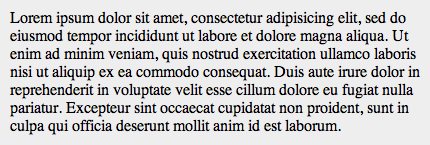
Or perhaps a bit more stylish, using a serif font:
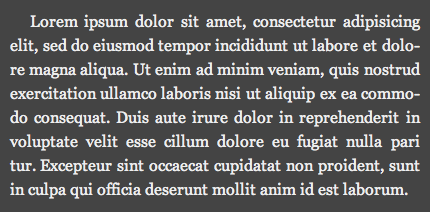
And I could create something bright and flashy like this:
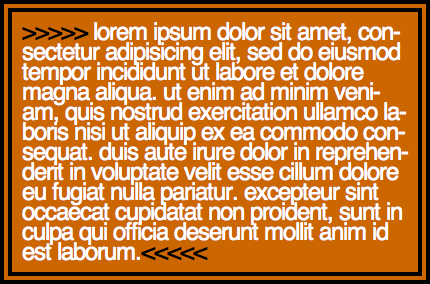
Presentational elements, on the other hand, do tell the browser how to be displayed. However, this also means presentational elements don’t have a “meaning”: you could use the b element to make important keywords bold, but you could also use it to make all links bold simply because it looks prettier. You could even put all text in bold because it easier readable.
An Example To Help You Understand
Suppose you want to emphasise keywords on your web page. You could use <b>; bold words catch attention after all:
<p>This is <b>extremely</b> important.</p>So you use <b> to mark up your keywords, but after a while you don’t like the bold anymore. You jump into the CSS file and add these lines:
b {
  font-weight: normal;
  color: red;
}
Your keywords are now a nice shade of red, and no longer bold. It’s pretty, and you like it. But, uh, in your HTML you’re telling the text to be bold, and in your CSS you’re telling it to have normal weight. D’oh.
Let’s rethink the situation. What you really wanted to do, is give emphasis to your keywords. It doesn’t matter whether they’re bold or red, they just need to stand out.
HTML has the perfect solution for this: the <em> element, short for emphasis. So you change all <b>’s used for adding emphasis to <em>:
<p>This is <em>extremely</em> important.</p>Much better. The <em> element makes text italic by default though, so you change the text to be normal and red in the CSS:
em {
  font-style: normal;
  color: red;
}
Notice how the font-weight: normal in your CSS is gone now— the <em> element isn’t bold by default.
So now you have your keywords in red. But after a while you decide to use bold keywords again. Easy:
em {
  font-style: normal;
  font-weight: bold;
}
And in the HTML you change nothing. The HTML code tells the keywords to be emphasised, and the CSS code tells the browser how to display these keywords. You’ve only changed the presentation, so you don’t have to touch the HTML code.
This separation of content and presentation has more advantages than making your web pages easier to maintain. When Google visits your page, it’ll notice the emphasized keywords, and think something like this:
“Judging by the content of the page, it looks like this page is about HTML and CSS. Oooh, look, there’s a few emphasized words here: “HTML” and “CSS”. I’m certain this page is about HTML and CSS now. When people search for HTML or CSS, I’ll rank this page a little higher in my search results.”
Sweet!
The Good, And The Bad-And-Ugly
In short, you should never use presentational elements in HTML, but use meaningful elements and style them with CSS. Here’s a list of bad and ugly elements:
<b>for bold<i>for italic<u>for underline<small>and<big>for decreasing or increasing text size<s>and<strike>for strikethrough<center>for centered text<basefont>for setting the base font size<font>for customizing fonts and sizes
The elements you should use, include:
<h1>,<h2>,<h3>, … for headers<em>for emphasis<strong>for strong emphasis<p>for paragraphs<ul>and<ol>for ordered and unordered lists
… and of course elements such as <a> for creating links, <img> for images, etc—but you were probably using these already anyway.
It’s not always obvious, but you should never create your own elements. You can still get away with it in most browser, but it’s a very bad practice. Your HTML is no longer valid, and some browsers may start choking on that.
For example, instead of creating a <red> element (maybe for putting emphasis on text), and then styling that red in CSS, consider using a pre-existing element like <em> instead. If that’s not possible, use a <span> with a custom class.
Continue Reading
I recommend checking out mezzoblue’s Markup Guide. It’s a reference for every HTML element you can/should use.
You’ll need to know quite a bit of CSS if you’re going to write proper HTML. Newbies should check out the westciv’s hands on css tutorial, or even the complete css guide.
There are many more resources about meaningful and correct HTML/CSS on the internet. Google is your friend!
I’m Done
If you’ve never heard about “semantic” or “meaningful” markup before, I hope this article encourages you to find out more. If you’ve heard about it, I hope this article pushes you to finally re-write your pages in a much cleaner HTML.
This post is just scratching the surface of writing better HTML. So continue reading other articles. You’ll become good.
Any comments, thoughts, criticisms, … about this article are always welcome.